From Detection to Exploitation — Breaking Modern Web Application Firewalls
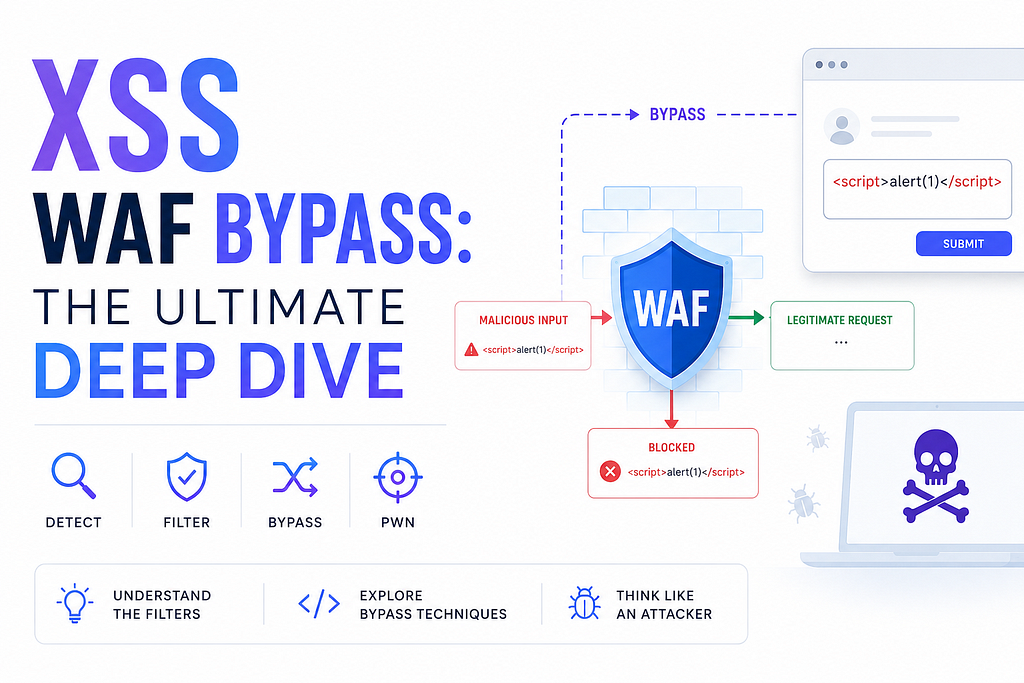
Table of Contents
1. Understanding the Battlefield
- The Core Tension
- Three Layers of WAF Detection
2. WAF Detection Mechanisms — How They Catch You
- 2.1 Signature Matching
- 2.2 Normalization Pipeline
- 2.3 Contextual Analysis
- 2.4 libinjection
3. The XSS WAF Bypass Methodology
- Step 1: Identify the Injection Context
- Step 2: Determine WAF Ruleset
- Step 3: Map Allowed Characters
- Step 4: Identify the Parser Gap
- Step 5: Fuzz, Iterate, Exploit
4. Bypass Technique Catalog
- 4.1 Context-Based Bypasses
- HTML Tag Context
- Script Context (String Breaking)
- Attribute Context
- URL Context (HREF Breaking)
- 4.2 Encoding & Obfuscation
- Multi-Layer Encoding
- Unicode Normalization Attacks
- JavaScript Obfuscation
- 4.3 HTML/CSS Injection
- CSS Expression (Legacy IE)
- Style Tag Injection
- Meta Tag Refresh
- 4.4 Mutation XSS (mXSS)
- 4.5 DOM Clobbering & Prototype Pollution
- 4.6 Polyglot Payloads
- 4.7 WAF-Specific Bypasses
- ModSecurity CRS 3.x
- Cloudflare
- Azure Application Gateway
- AWS WAF
5. Azure Application Gateway WAF — Deep Dive
- Detection Rules That Trigger
- Proven Bypass Techniques
- Inline Comment Bypass
- Tab/Newline Injection
- Data URI Bypass
- Event Handler Variations
- Complete Azure WAF Bypass Payload Library
6. Cloudflare WAF Bypass
- Known Weaknesses
- Dangling Markup Injection
- JSON Endpoint Bypass
- Worker Bypass
- Cloudflare Bypass Payloads
7. AWS WAF (CloudFront/ALB) Bypass
- Known Gaps
- Multipart Form Bypass
- Base64 in Query Parameters
- Null Byte Prefix
- AWS WAF Bypass Payloads
8. ModSecurity/CRS Bypass
- CRS 3.x Rule Architecture
- The Four Paranoia Levels
- Bypass Techniques
- Encoding Stacking
- Content-Type Confusion
- mXSS Against CRS
- Request Size Exhaustion
- CRS 3.x Bypass Payloads
9. Automated Bypass Frameworks
- 9.1 XSStrike
- 9.2 PayloadsAllTheThings
- 9.3 WAFW00F
- 9.4 Burp Suite Intruder Fuzzing
- 9.5 Custom Python Fuzzer (Production-Ready)
10. Building Your Own XSS WAF Bypass Lab
- Docker-Based WAF Testing Environment
- Nginx Config for AWS WAF Simulation
- Testing Workflow
11. WAF Recon Methodology
- Step 1: Identify the WAF
- Step 2: Map WAF Sensitivity
- Step 3: Determine Allowed Characters
12. Bug Bounty Workflow: XSS WAF Bypass
- Phase 1: Understand the Target
- Phase 2: Identify Weak Points
- Phase 3: Systematic Testing
- Phase 4: Exploit & Document
13. Real Bug Bounty Case Studies
- Case Study 1: Cloudflare Bypass via JSON Endpoint ($2,500)
- Case Study 2: Azure WAF Bypass via Inline Comment ($1,500)
- Case Study 3: AWS WAF Multipart Boundary Bypass ($3,000)
14. Appendices
- Appendix A: Universal Bypass Testing Checklist
- Appendix B: WAF Fingerprinting Quick Reference
- Appendix C: Blind XSS Detection Payloads
- Appendix D: Cookie Theft Evasion Techniques
- Appendix E: WAF Bypass Technique Prioritization
1. Understanding the Battlefield
The Core Tension
Every WAF sits between attacker and application, but it has a fundamental disadvantage: the WAF must say “no” to anything it doesn’t understand, while the browser and application must say “yes” to as much as possible. This asymmetric constraint is your lever.
Modern WAFs operate at multiple layers, and understanding each is critical:
Layer 1: Signature-Based Detection
├── Known XSS patterns (<script>, alert(), onerror=)
├── Keyword blacklists (javascript:, onerror, alert, confirm, prompt)
└── Regex patterns matching common payloads
Layer 2: Anomaly-Based Detection
├── Request size anomalies (too large = suspicious)
├── Encoding depth anomalies (double-encoded = suspicious)
├── Parameter value entropy (too many special chars = suspicious)
└── Repeated parameter submissions (fuzzing detection)
Layer 3: Behavioral Analysis
├── Rate limiting on malicious patterns
├── Session-based scoring (multiple near-misses = block)
├── IP reputation (Cloudflare, AWS WAF, Akamai)
└── Request sequencing analysis
The fundamental truth: A WAF is a regex engine with a network interface. If you can construct input that the application sees differently than the WAF, you win.
2. WAF Detection Mechanisms — How They Catch You
2.1 Signature Matching
The classic approach. WAFs maintain massive signature databases ingested from commercial feeds, open-source rulesets (OWASP CRS), and in-house research. Common detection patterns:
Detected: <script>alert(1)</script>
Detected: <img src=x onerror=alert(1)>
Detected: javascript:alert(1)
Detected: "><script>alert(1)</script>
Detected: ';alert(1)//
Detected: {{constructor.constructor('alert(1)')()}}
The trick: Signatures are static. If you can mutate the payload while preserving its semantic meaning to the browser, the signature misses.
2.2 Normalization Pipeline
Every WAF normalizes input before signature matching. Understanding the pipeline order is critical:
Raw Input:    %3C%73%63%72%69%70%74%3E
         ↓ URL Decode
         <script>
         ↓ Case Normalization (if case-insensitive mode)
         <script>
         ↓ HTML Entity Decode
         <script>
         ↓ Unicode Normalization (NFC/NFD)
         <script>
         ↓ Signature Match → BLOCK
The bypass principle: If you can construct input that decodes to <script> at the browser level but survives the WAF's normalization differently, you win. This means finding a normalization step the WAF performs but the browser doesn't, or vice versa.
Real-world example: Some WAFs decode %2F but not %252F (double URL encoding). The application (if it double-decodes) sees / while the WAF sees %2F.
2.3 Contextual Analysis
Modern WAFs attempt to understand where your input appears in the HTML. This is the biggest evolution from simple regex matching:
<!-- Context: Attribute value -->
<input value="INJECTION">              <!-- WAF allows quotes -->
<input value="INJECTION" onerror=...>  <!-- WAF blocks event handlers -->

<!-- Context: JavaScript string -->
<script>var x = 'INJECTION';</script>    <!-- WAF checks for '-->
<script>var x = `INJECTION`;</script>    <!-- Template literal often allowed -->
<!-- Context: URL -->
<a href="INJECTION">click</a>  <!-- WAF checks javascript: -->
The key insight: WAF context detection is imperfect. A payload that spans multiple contexts — or exploits the WAF’s misidentification of context — can bypass. This is where polyglots shine.
2.4 libinjection
Many WAFs (including ModSecurity CRS 3.x and Cloudflare) use libinjection — a C library that tokenizes HTML and flags suspicious patterns. libinjection doesn’t use regex; it uses a fingerprint-based approach.
Input: <script>alert(1)</script>
libinjection tokenizes:
TAG_OPEN_SCRIPT, TEXT, TAG_CLOSE_SCRIPT
Fingerprint: [3001, 0, 3002] → XSS flag
Bypassing libinjection: Introduce tokens that confuse the fingerprint engine. For example, namespace confusion or deeply nested tags can cause libinjection to emit a fingerprint that doesn’t match known XSS patterns.
3. The XSS WAF Bypass Methodology
This is the step-by-step process I’ve refined across hundreds of bug bounty targets and pentests.
Step 1: Identify the Injection Context
Before bypassing anything, you need to know what “normal” looks like:
// Test probes to determine context
?id=test // Reflected in HTML body? Between tags? In an attribute?
?id=<test> // Are tags stripped? Escaped? <test> → <test>?
?id="test" // Are double quotes escaped? " → "?
?id='test' // Single quotes? ' → '?
?id=test{{7*7}} // Template engine? Server-side?
?id=${7*7} // JS template literal? Client-side?
?id=test/*test*/ // Comment injection? Reveals backend language
Pro tip: Always URL-decode the response and inspect the raw HTML source (not rendered view). The browser hides things the WAF and server don’t.
Step 2: Determine WAF Ruleset
Probe with known patterns to map the WAF’s blind spots:
# Test basic patterns - note which get blocked
<script>alert(1)</script>     # Blocked? → script tag filter
<img src=x onerror=alert(1)>  # Blocked? → event handler filter
<svg onload=alert(1)>         # Blocked? → SVG namespace check
javascript:alert(1)           # Blocked? → protocol filter
<style>@import url(x)</style> # Blocked? → CSS injection filter
Each block tells you something. Note the response status (403 vs 200 with stripped content), the error page, and any headers like X-Security: blocked by ModSecurity.
Step 3: Map Allowed Characters
This is the most tedious but most revealing step:
# Systematic fuzzing - what survives to the response?
<?  <!  <#  <$  <%  <=  <[  <-  <@
A payload like <%= ... %> suggests an ASP/.NET context. <$ suggests FreeMarker or JSP. <% suggests ASP. Each surviving character tells a story.
Step 4: Identify the Parser Gap
The WAF has a parser. The browser has a parser. Your target application may have a third. Find the delta:
WAF parser:   Sees <script> → blocks
Browser parser: Sees <svg><script> → executes because SVG namespace allows script
Your payload: <svg><script>alert(1)</script></svg>
Step 5: Fuzz, Iterate, Exploit
Once you know the parser gap, systematically mutate your payload to exploit it. The fuzzer in Section 10 automates this.
⚠️ Content Notice
Due to community guidelines and responsible disclosure practices, I was unable to include the complete live exploit chain, weaponized payloads, and full proof-of-concept demonstrations in this article.
The concepts, impacts, and mitigation strategies are covered here for educational and defensive security purposes. Readers interested in the full technical research, complete exploit analysis, and detailed proof-of-concept examples can refer to the corresponding GitHub repository linked with this article.
This content is intended solely for security research, awareness, and defensive testing in authorized environments.
Reed Full Blog: https://github.com/SecurityTalent/write-up

GitHub: SecurityTalent | Medium: Security Talent | Twitter: Securi3yTalent | Facebook: Securi3ytalent | Telegram: Securi3yTalent
#CyberSecurity #BugBounty #BugBountyHunter #EthicalHacking #InfoSec #WebSecurity #ApplicationSecurity #AppSec #CloudSecurity #FrontendSecurity #WebDevelopment #JavaScript #ReactJS #Laravel #NodeJS #DevSecOps #OWASP #SecretsManagement #GitHub #GitHubDorks #SourceMaps #EnvFiles #SecurityResearch #PenetrationTesting #RedTeam #BlueTeam #CloudComputing #AWS #Azure #GoogleCloud #VibeCoding #AI #SecureCoding #DeveloperSecurity #TechBlog #Programming
XSS WAF Bypass: The Ultimate Deep Dive was originally published in System Weakness on Medium, where people are continuing the conversation by highlighting and responding to this story.