Building on the last diary on Using MS Graph and Powershell, let's look at "Risky" logins.
Risky logins are a derived set of parameters that look at various (you guessed it) risky login parameters. What is considered a risk?
In most cases this is either impossible geography - in other words "we're not expecting to see you at that IP, in that subnet, ASN or country", or unusual device - ie "that's not your regular computer"
There are two groups of commands in this area. You can do Risk Detection in a basic Entra license, but to work with Persistent Risk User accounts you need to bump up your license. So it'll cost you every month to use these commands:
Get-MgRiskyUser
Confirm-MgRiskyUserCompromised
Get-MgRiskyUserHistory
However, you can get a fair way with a basic Entra license and the Get-MgRiskDetection command. Let's focus on just that, since we all have at least that license level (if you're still reading that is).
#first connect to graph with the right Identity Protection scopes
Connect-MgGraph -Scopes "IdentityRiskyUser.Read.All", "IdentityRiskEvent.Read.All"
$riskylogins = Get-MgRiskDetection -all
Note that if you've already done remediation and marked off events as dealt with, you can filter those events out with:
$riskylogins = Get-MgRiskDetection -All -Filter "riskState ne 'dismissed' and riskState ne 'remediated'"
Let's look at some data:
$riskylogins | select userdisplayname, activitydatetime, ipaddress, additionalinfo

hmm, that last field is the key one, it's in JSON format, with more info than we likely want for a summary. Let's look at one record, and convert from JSON:
$riskylogins[2].additionalinfo | convertfrom-json
Key Value
--- -----
riskReasons {UnfamiliarDevice, UnfamiliarEASId, UnfamiliarTenantIPsubnet}
userAgent Mozilla/5.0 (Windows NT 10.0; Win64; x64) AppleWebKit/537.36 (KHTML, like Gecko) Chrome/150.0.0.0 Safari/537.36 Edg/150.0.0.0 AnyConnect/5.1.9.113 (win)
alertUrl
mitreTechniques T1078.004
So most likely we'll want that list of risk reasons in our summary report - let's extract that for our test object:
($riskylogins[2].additionalinfo | convertfrom-json)[0].value
UnfamiliarDevice
UnfamiliarEASId
UnfamiliarTenantIPsubnet
OK, now let's pull the list with just that information, using our new best friend - yup, a computed field and a join!
$riskylogins | select userdisplayname, activitydatetime, ipaddress, @{N='Reason';E={ (($_.additionalinfo | convertfrom-json)[0].value ) -join '; '}} | out-gridview
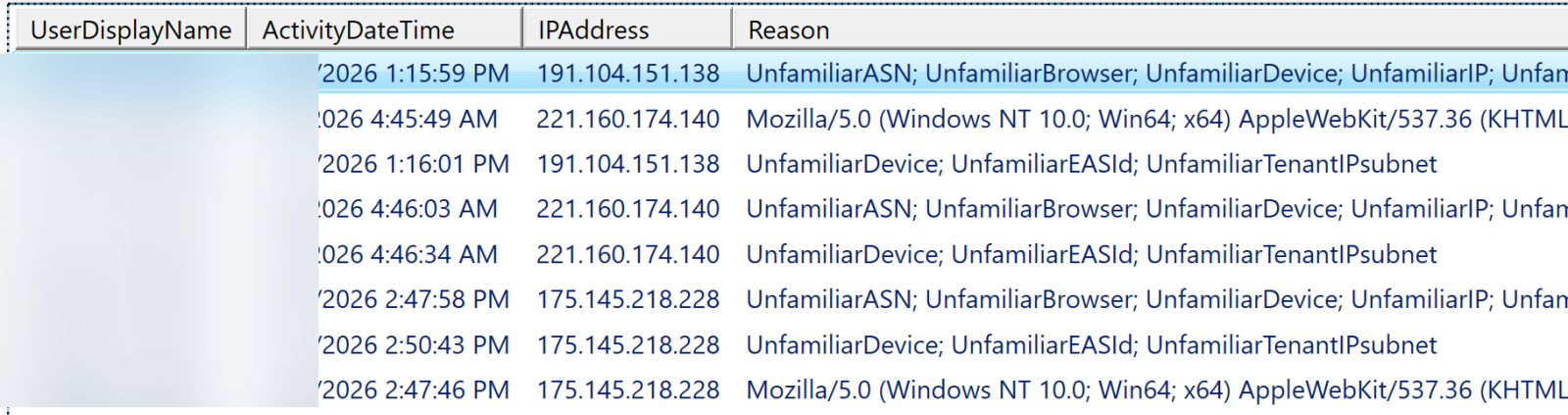
In this case, looking deeper at the IP's, these are login attempts from Malaysia, Colombia and South Korea. Digging deeper into the text, we found a client IP from Warsaw. With another loop you could use something like the ipinfo API to relate those IP's back to geo-locations easily enough - it's always another loop in PowerShell it seems.
That second item and the last one lists the useragent though instead of the risk reasons, let's extract that key-value pair specifically rather than count on it being the first in the list
($riskylogins[4].additionalinfo | convertfrom-json) | where { $_.Key -eq "riskReasons" }
Key Value
--- -----
riskReasons {UnfamiliarDevice, UnfamiliarEASId, UnfamiliarTenantIPsubnet}
Close, but we just want the value:
(($riskylogins[4].additionalinfo | convertfrom-json) | where { $_.Key -eq "riskReasons" }).value
UnfamiliarDevice
UnfamiliarEASId
UnfamiliarTenantIPsubnet
So plugging that back into our single one-liner:
$riskylogins | select userdisplayname, activitydatetime, ipaddress, @{N='Reason';E={ ((($_.additionalinfo | convertfrom-json) | where { $_.Key -eq "riskReasons" })).value -join '; '}} | out-gridview
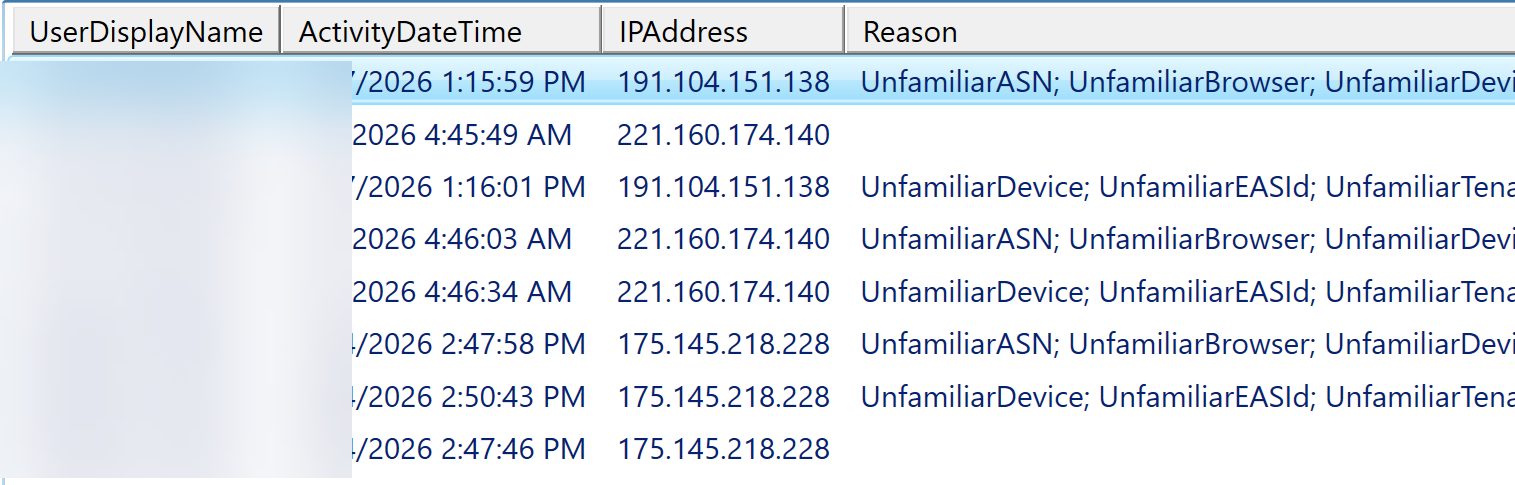
So the risks in the list above boil down to: you are in an unusual location (IP address, subnet, ASN, Location, or you are using an unfamiliar device.
Hmm - looking at those IP addresses, you're thinking - can I look those up using the APIs for ipinfo or maxmind? No need, it's already there, if you run "$riskylogins | gm", you'll see a "location" object.
$RiskyLogins[4].location
City CountryOrRegion State
---- --------------- -----
Gunseo-Myeon KR Chungcheongbuk-Do
But normally it's just the country that you want, so what we want is
($RiskyLogins[4].location).countryorregion
KR
Which means we need another computed field to make things work in the "report" command:
$riskylogins | select userdisplayname, activitydatetime, ipaddress, @{N='Country';e={($_.location.countryorregion)}}, @{N='Reason';E={ ((($_.additionalinfo | convertfrom-json) | where { $_.Key -eq "riskReasons" })).value -join '; '}} | out-gridview
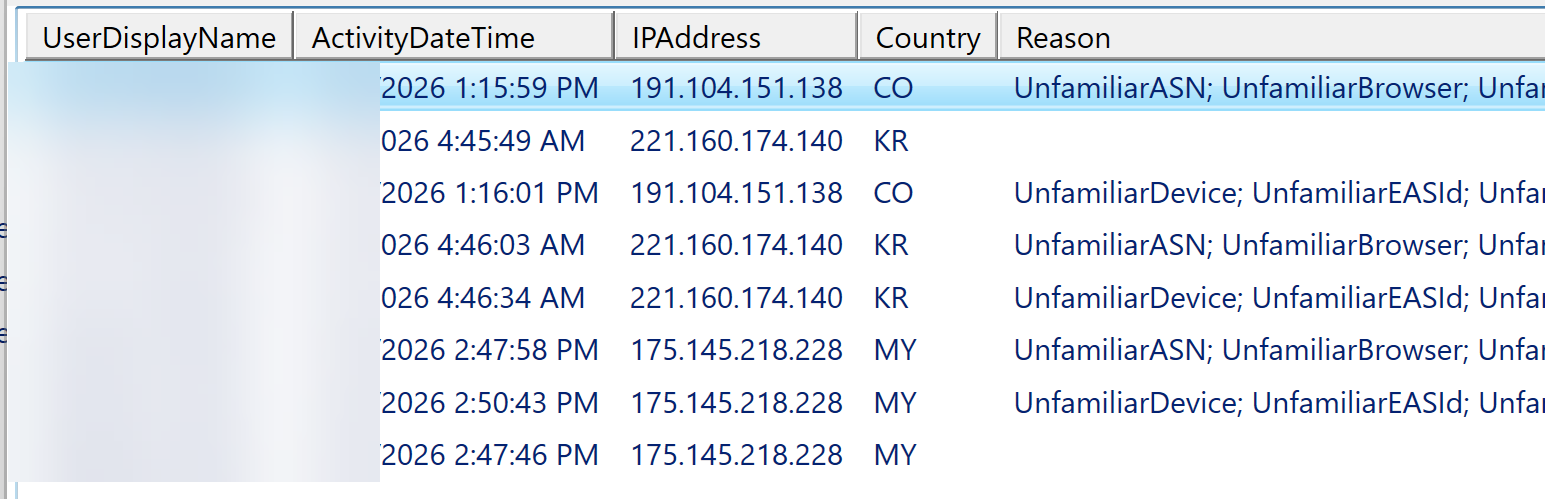
To just view this in a text table, you could use " | ft " instead of out-gridview, or send it to an excel-readable file wiht "| out-csv"
Please, use our comment form and let us know if you've used these concepts in Graph to find a security event that you wouldn't otherwise have found!
===============
Rob VandenBrink
[email protected]