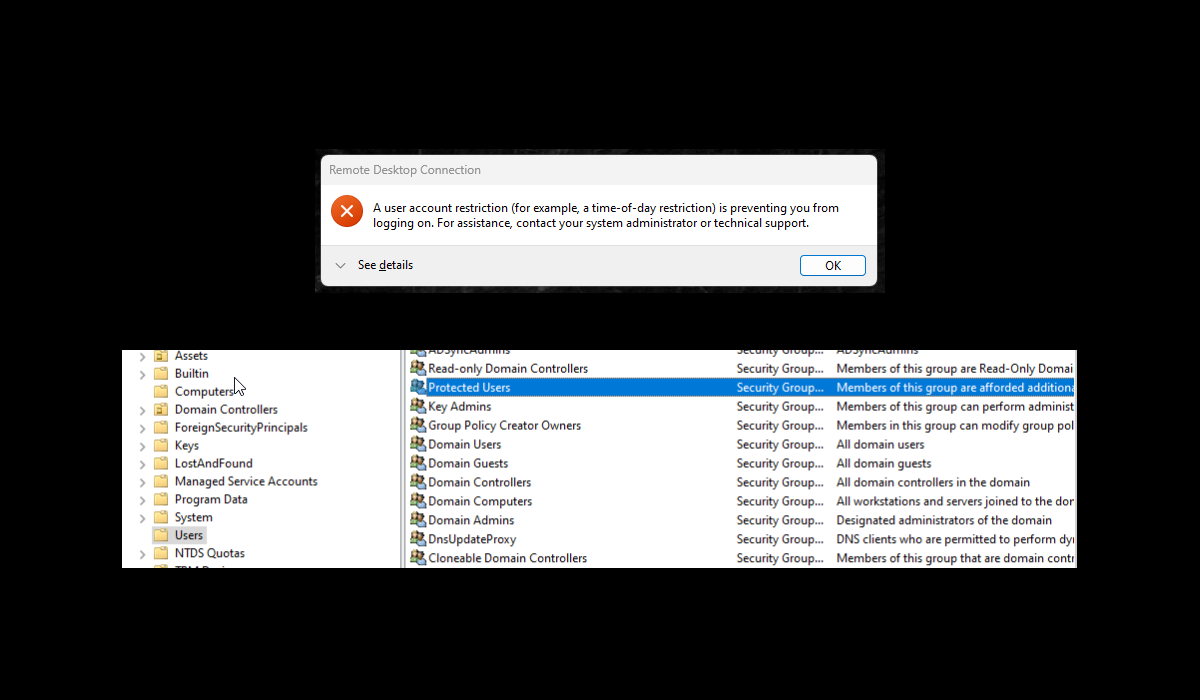
If you're hardening an Active Directory environment, one of the highest-value, lowest-effort wins is adding your privileged and sensitive accounts to the Protected Users security group.
Notably, members can no longer authenticate with NTLM and must use Kerberos. This will definitely upset your pentester in an internal network penetration test or someone malicious lurking around your network.
No More NTLM Auth
The same protections can also block you from connecting over RDP if you're relying on NTLM conventions. Because authentication now goes through Kerberos, the old CORP\jdoe NTLM username format no longer works, and you can't RDP to a server by its IP address either.
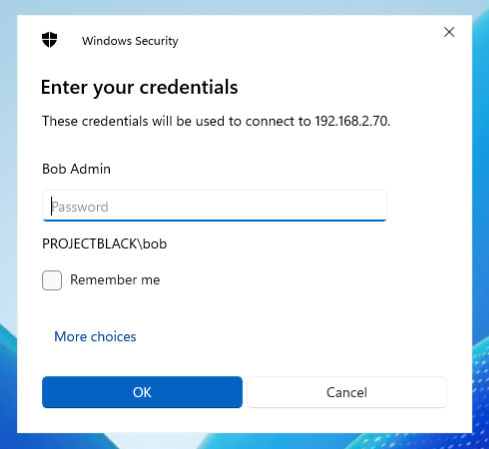
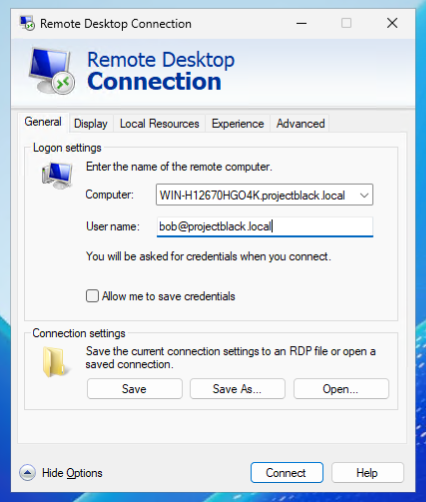
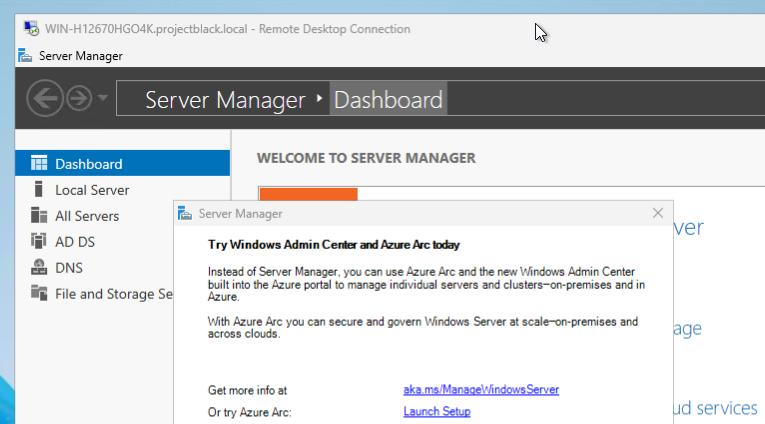
RDP with Kerberos
Instead, you must UPN (User Principal Name) Format - [email protected] to specify your username and the full FQDN of the server.
Other Causes
If you've switched to FQDN and UPN and Kerberos still won't let you RDP, it's time to start working through the other common causes of Kerberos failures.
Clock skew is the usual suspect - Kerberos only tolerates about five minutes of drift between the client, the target, and the domain controller before it starts rejecting tickets.
If that's not it, and assuming you haven't recently added your user to the Protected Users group, here are some other common reasons you might see this message:
- An actual logon hours (time-of-day) restriction is in effect.
- The account is expired or disabled.
- A "Deny log on through Remote Desktop Services" policy is blocking the account.